
VM Snapshot vs Backup vs Disaster Recovery: What's the Difference?
Snapshots, backups and disaster recovery solve different problems. Learn how each protects virtual machines and why snapshots should not replace backups.
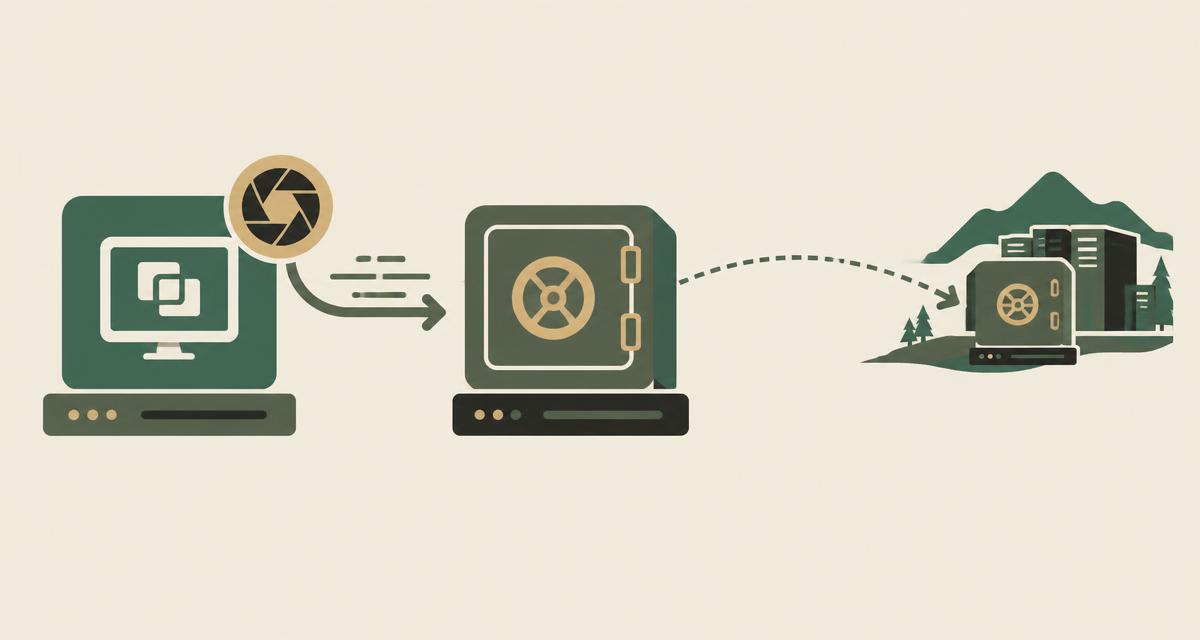
A VM snapshot, a backup and a disaster recovery plan solve three different problems. Treating them as the same can create a serious recovery gap. The short answer to VM snapshot vs backup is this: a snapshot is a short-term rollback point that usually lives on the same storage as the VM, a backup is an independent copy you can restore from, and disaster recovery is the plan and infrastructure to bring services back after a major outage.
Snapshot vs backup vs disaster recovery at a glance
The table summarizes how the three approaches typically differ.
| Aspect | Snapshot | Backup | Disaster recovery |
|---|---|---|---|
| Primary purpose | Short-term rollback | Data and workload recovery | Service and environment recovery |
| Storage dependency | Usually same storage as the VM | Separate backup storage | Separate site or environment |
| Retention | Hours to days | Days to years, by policy | Defined by RPO and replication design |
| Recovery scope | One VM to a recent point | Files, disks or whole VMs | Applications, networks and dependencies |
| Typical use | Before upgrades or changes | Accidental deletion, corruption, ransomware | Site outage, major failure |
| Protects against production storage failure | Generally no | Yes, if stored independently | Yes |
What is a VM snapshot?
A VM snapshot captures the state of a virtual machine's disks — and optionally its memory — at a specific point in time. After the snapshot is taken, new writes are tracked separately, so the VM can later be reverted to the captured state.
Snapshots are valuable operational tools. Typical examples include taking a snapshot before an operating system upgrade, before a significant configuration change, or before testing a new application version. If something goes wrong, the administrator reverts in minutes.
Why a snapshot is not a backup
In most virtualization platforms a snapshot depends on the original virtual disk and is stored on the same production storage. If that storage fails, is corrupted or is encrypted by ransomware, the snapshot is usually lost with it. Implementation details vary between platforms, but that dependency is common enough that snapshots should never be treated as the only copy of important data.
Long-lived snapshots also have operational costs. Snapshot chains grow as data changes, consume storage and can affect performance. Good practice is to keep snapshots short-lived and remove them once a change is confirmed.
What is a virtual machine backup?
A virtual machine backup is an independent copy of a VM's data stored separately from production. Modern VM backup tools typically capture the VM at the hypervisor level, transfer only changed blocks after the first full copy, and keep multiple restore points according to a retention policy.
Because the copy is independent, a backup can be used to restore a single file, a disk or a complete VM even when the original is gone. Many organizations also keep an additional copy off-system or off-site, and protect backup repositories against deletion or tampering.
What is disaster recovery?
Disaster recovery is broader than restoring data. It is the ability to bring business services back online after a major event — the loss of a data center, a widespread storage failure or a large-scale security incident.
A DR plan identifies which services must return first, where they will run (a secondary site, another environment or a dedicated recovery cluster), how data gets there through replication or backup copies, and how networks, identities and dependencies are restored. It is tested regularly so that recovery is predictable rather than improvised.
Backup vs disaster recovery
Backup is a component of protection; disaster recovery is the overall capability. You can have excellent backups and still be unable to recover a service quickly if there is nowhere to restore it, no network design for the recovery site, or no tested runbook.
Conversely, a DR site with replication is not a substitute for backups. Replication copies corruption and deletions as quickly as it copies good data, so point-in-time backups remain necessary.
What are RPO and RTO?
Two measures shape every protection design:
- Recovery Point Objective (RPO): how much data, measured in time, the business can afford to lose. If backups run every 24 hours, the RPO is up to 24 hours of data.
- Recovery Time Objective (RTO): how long the business can wait for a service to be restored. A service restored in four hours meets a four-hour RTO.
For example, an internal reporting system might accept a 24-hour RPO and a one-day RTO, while a customer-facing transaction system may need an RPO of minutes and an RTO of an hour. Different services deserve different protection tiers.
What happens if production storage fails?
This is where the difference becomes very real. If the storage system holding your virtual machines fails, VMs on that storage stop, and snapshots on the same storage are typically unavailable too. High availability cannot help either, because it restarts VMs from the same storage. For more on that distinction, see HA vs DRS vs live migration.
Recovery then depends on independent backups and, for critical services, on a disaster recovery design that can bring workloads up elsewhere in the data center or at another site.
Building a VM protection strategy
A practical strategy combines all three approaches according to service importance:
- Use snapshots for short-term rollback around changes, and remove them afterwards.
- Back up VMs on a schedule matched to each service's RPO.
- Define retention for operational restores and for longer-term needs.
- Keep at least one copy off-system or off-site where applicable.
- Test restores regularly — a backup that has never been restored is an assumption.
- Define RPO and RTO per service tier and design replication or DR accordingly.
- Document and rehearse the DR plan, including networks and dependencies.
Protection is also part of the wider operating model described in virtualization vs private cloud.
Hemaya and virtual machine protection
Hemaya is VirtuWa's backup and disaster recovery capability for workloads running on the VirtuWa platform. It is designed to provide independent VM backups and recovery options that complement the snapshots and high availability provided by Asas HV.
The right configuration depends on your RPO and RTO targets, storage design and recovery sites. We recommend reviewing those requirements before choosing retention and replication settings.
Review your VM protection strategy
Talk to a VirtuWa engineer about RPO, RTO and how Hemaya fits your environment.
Explore HemayaHA vs DRS vs Live Migration: What's the Difference?
HA, DRS and live migration solve different virtualization challenges. Learn how they support availability, VM mobility and resource optimization.
Read articleVirtualization vs Private Cloud: What's the Difference?
Virtualization and private cloud are closely related but not the same. Learn how they differ and what management, automation and cloud capabilities add.
Read articleWhat Is Server Virtualization? How It Works and Why It Matters
Learn what server virtualization is, how virtual machines share physical hardware, and how it improves resource utilization, flexibility and data center operations.
Read article