
What Is Server Virtualization? How It Works and Why It Matters
Learn what server virtualization is, how virtual machines share physical hardware, and how it improves resource utilization, flexibility and data center operations.
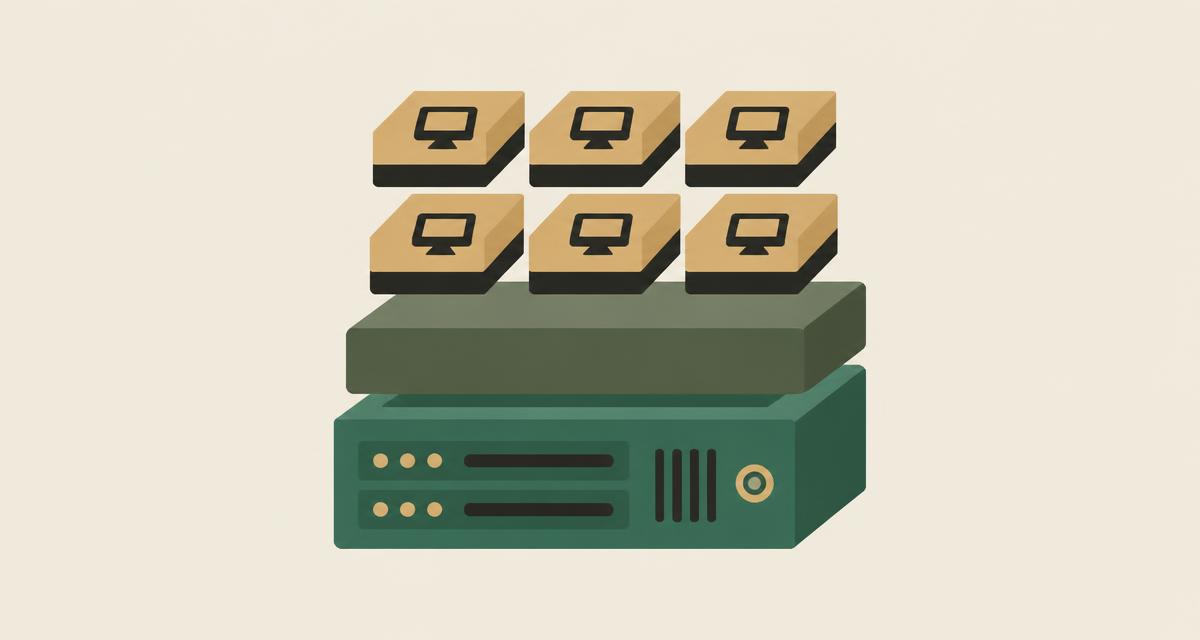
Server virtualization is the practice of dividing one physical server into several isolated virtual machines, each running its own operating system and applications. Instead of dedicating a whole machine to a single workload, a thin software layer called a hypervisor shares the server's CPU, memory, storage and networking between many workloads. The result is better use of hardware, faster provisioning and a more flexible data center. This guide explains how it works, what a virtual machine actually is, and where server virtualization fits in a modern infrastructure strategy.
What is server virtualization?
In a traditional data center, each application often lived on its own physical server. That model was simple to understand, but it was wasteful: many servers spent most of the day using only a small fraction of their processors and memory, while still consuming power, cooling, rack space and support contracts.
Server virtualization separates the workload from the hardware. A single physical machine is abstracted into a pool of physical resources, and those resources are then presented to multiple virtual machines. Each virtual machine behaves like an independent server with its own operating system, while the hypervisor decides how the underlying computing resources are shared.
Because the workload is no longer tied to one specific box, it can be created, resized, copied, moved or protected with software operations rather than hardware changes. That shift is what makes virtualization the foundation for most enterprise infrastructure today.
How does server virtualization work?
Every virtualized server follows the same basic layering. The physical server provides processors, memory, disks and network interfaces. The hypervisor runs directly on, or tightly integrated with, that hardware and creates isolated execution environments. Each environment is a virtual machine with a guest operating system, and applications run inside the guest exactly as they would on a physical host.
Modern processors include hardware-assisted virtualization features, such as Intel VT-x and AMD-V, that let the hypervisor run guest code efficiently and keep each virtual machine isolated. The hypervisor schedules virtual CPUs onto physical cores, maps guest memory to real memory and connects virtual disks and network adapters to physical storage and networks.
This is how one host can run multiple operating systems side by side — for example Linux and Windows Server workloads — while they share the same physical hardware without being aware of each other. To understand the different ways hypervisors are built, see our guide to Type 1 and Type 2 hypervisors.
What is a virtual machine?
A virtual machine (VM) is a software-defined computer. To the guest operating system it looks like ordinary hardware, but every component is provided by the hypervisor:
- Virtual CPU (vCPU): a share of physical processor time, scheduled by the hypervisor.
- Virtual memory: a block of RAM that the hypervisor maps to physical memory on the host.
- Virtual disk: usually a file or block volume on shared or local storage that the VM sees as a disk drive.
- Virtual networking: virtual network adapters connected to virtual switches, VLANs or software-defined networks.
- Guest operating system: the OS installed inside the VM, managed and patched like any other server.
Because a VM is essentially configuration plus data, it can be snapshotted, cloned, backed up and moved in ways a physical server cannot. That portability underpins features such as live migration and high availability.
Physical server vs virtual machine
The table below summarizes the practical differences an infrastructure team notices day to day.
| Aspect | Physical server | Virtual machine |
|---|---|---|
| Hardware dependency | Tied to one specific machine | Abstracted from the host hardware |
| Provisioning | Procure, rack, cable and install — days or weeks | Created from a template in minutes |
| Resource allocation | Fixed by the hardware purchased | CPU, memory and disk can be adjusted |
| Mobility | Moving means physical relocation or reinstall | Can be migrated between hosts, often while running |
| Utilization | Frequently low and uneven | Consolidated onto shared hosts for higher utilization |
| Isolation | Physical separation | Logical isolation enforced by the hypervisor |
What are the benefits of server virtualization?
The benefits of virtualization are well established, but they are only realized when the environment is designed and operated carefully.
- Better resource utilization: idle capacity on one workload can be used by another.
- Server consolidation: fewer physical servers can reduce power, cooling, space and maintenance.
- Faster provisioning: new servers come from templates instead of procurement cycles.
- Workload isolation: a failure or compromise inside one VM does not directly affect its neighbours.
- Workload mobility: VMs can be moved for maintenance or balancing with minimal interruption.
- Simpler management: servers are managed as software objects through a central console or API.
- A foundation for resilience: HA, backup and disaster recovery become much easier to implement.
Server virtualization and resource utilization
Utilization is often the headline reason for virtualizing. A typical application does not use its CPU and memory evenly across the day; virtualization lets many such workloads share a host so their peaks and troughs balance out.
More consolidation is not automatically better, however. Packing too many VMs onto too few hosts creates contention for CPU, memory or storage I/O, and leaves no headroom to absorb a host failure. Good designs keep enough spare capacity for failover, set sensible reservations and limits for important workloads, and monitor storage and network latency, not just CPU percentage.
Resource scheduling features such as DRS help keep a cluster balanced over time. We explain how they differ from HA and live migration in HA vs DRS vs live migration.
Server virtualization in modern data centers
Over the past two decades server virtualization has become the default way to run enterprise workloads. Most modern data center designs assume that compute is delivered as clusters of virtualization hosts connected to shared or software-defined storage and virtual networks.
That standardization made other capabilities possible: template-based deployment, centralized monitoring, policy-based placement, integrated backup and infrastructure as code. It also changed how organizations think about hardware — as a pool of capacity rather than a collection of individual servers.
Server virtualization vs private cloud
Virtualization and private cloud are related but not identical. Server virtualization is the technology that abstracts hardware into VMs. A private cloud adds an operating model on top: centralized management, automation, APIs, access control, quotas, monitoring and consistent provisioning.
In other words, a private cloud is usually built on virtualization, but a virtualized data center is not automatically a private cloud. We cover the distinction in detail in virtualization vs private cloud.
How VirtuWa approaches server virtualization
VirtuWa's virtualization foundation is Asas HV, built on the open KVM hypervisor together with QEMU and libvirt. Asas HV provides the VM lifecycle, clustering, high availability, DRS, live migration, snapshots and cloning expected from an enterprise virtualization layer.
Around that foundation, Lejam Cloud Manager provides centralized management with RBAC and audit logging, Jisir handles workload migration, Hemaya covers backup and disaster recovery, and Mehad supports infrastructure deployment and automation. The aim is to give teams a complete, manageable platform rather than a bare hypervisor.
Explore Asas HV
See how VirtuWa's KVM-based virtualization foundation runs and manages enterprise workloads.
Explore Asas HVWhat Is KVM? Understanding Linux Virtualization
Learn how KVM works, how it relates to Linux, QEMU and libvirt, and why KVM has become a foundation for modern server virtualization and private clouds.
Read articleVirtualization vs Private Cloud: What's the Difference?
Virtualization and private cloud are closely related but not the same. Learn how they differ and what management, automation and cloud capabilities add.
Read articleHA vs DRS vs Live Migration: What's the Difference?
HA, DRS and live migration solve different virtualization challenges. Learn how they support availability, VM mobility and resource optimization.
Read articleType 1 vs Type 2 Hypervisors: What's the Difference?
Learn the difference between Type 1 and Type 2 hypervisors, how bare-metal virtualization works, and which architecture is used for different workloads.
Read article