
What Is KVM? Understanding Linux Virtualization
Learn how KVM works, how it relates to Linux, QEMU and libvirt, and why KVM has become a foundation for modern server virtualization and private clouds.
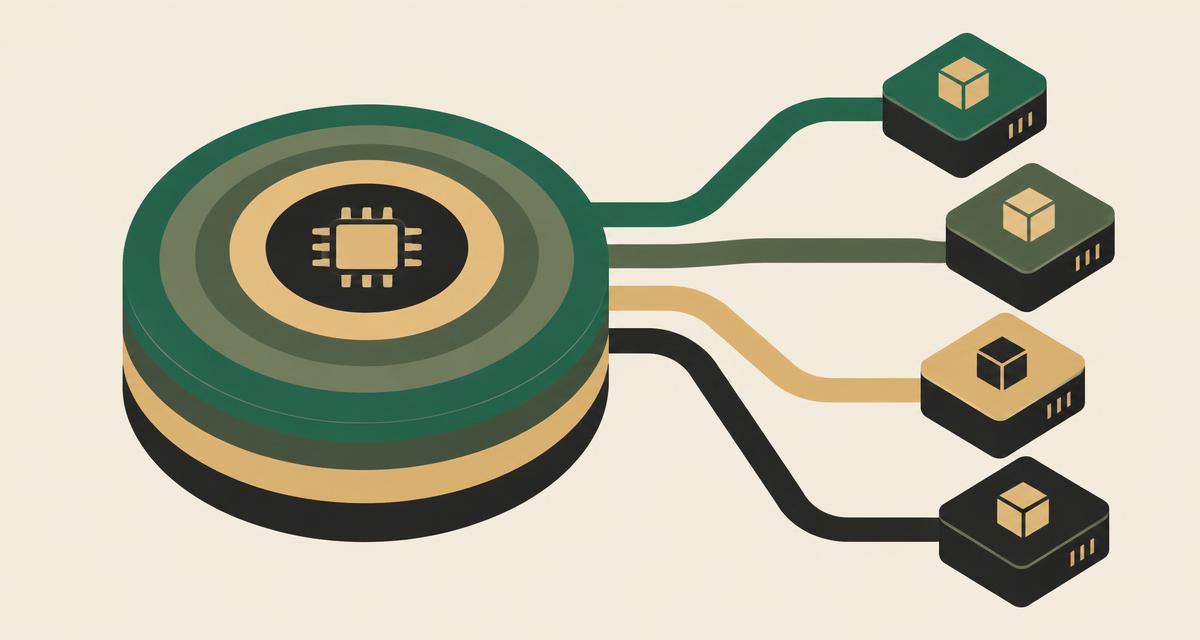
KVM is the virtualization capability built into the Linux kernel. As a KVM hypervisor, Linux can run many isolated virtual machines on one server, using hardware virtualization features in modern processors. KVM is rarely used on its own: it works with QEMU, which provides virtual hardware, and libvirt, which provides management APIs. This article explains what KVM is, how those pieces fit together, and what else an organization needs to turn KVM into a production virtualization platform.
What does KVM stand for?
KVM stands for Kernel-based Virtual Machine. It was merged into the mainline Linux kernel in 2007 and has been maintained as part of the kernel ever since. Because it lives in the kernel, KVM benefits directly from Linux's scheduler, memory management, device drivers and security features.
In practice, when people say "a KVM environment" they usually mean the combination of Linux, the KVM kernel module, QEMU and a management layer such as libvirt — not the kernel module alone.
How does KVM work?
KVM uses the hardware-assisted virtualization extensions in modern CPUs — Intel VT-x and AMD-V — to run guest code directly on the processor while keeping each guest isolated. When the KVM module is loaded, the Linux kernel gains the ability to act as a hypervisor.
Each virtual machine runs as a regular Linux process. Its virtual CPUs are threads scheduled by the Linux scheduler, and its memory is ordinary process memory backed by the host's RAM. This design means KVM reuses decades of kernel engineering instead of reimplementing scheduling and memory management in a separate hypervisor.
KVM, QEMU and libvirt: what's the difference?
These three names are often used interchangeably, but each has a distinct role in KVM virtualization.
| Technology | Main role |
|---|---|
| KVM | Kernel-level virtualization capability that lets Linux run guest CPUs and memory using hardware extensions. |
| QEMU | User-space component that creates the VM process and emulates or provides virtual devices: disks, network cards, firmware, display. |
| libvirt | Management API, daemon and tools (such as virsh) used to define, start, stop, migrate and monitor VMs consistently. |
Put simply: KVM makes virtualization possible in the kernel, QEMU gives each VM its virtual hardware, and libvirt gives administrators and higher-level platforms a stable way to control it all. Paravirtualized drivers (virtio) connect guests to QEMU's devices efficiently, which is important for disk and network performance.
How does a KVM virtual machine work?
On a KVM host, each VM is defined by a configuration — usually managed through libvirt — that specifies its virtual CPUs, memory, disks and network interfaces.
- Host: a Linux server with virtualization extensions enabled in firmware.
- Hypervisor capability: the KVM module, exposed to QEMU through the /dev/kvm interface.
- Virtual CPU: threads scheduled onto physical cores by the Linux scheduler.
- Memory: allocated to the QEMU process, with options such as huge pages for demanding workloads.
- Storage: virtual disks as image files (for example qcow2) or block devices on local, SAN or software-defined storage.
- Networking: virtio network adapters attached to Linux bridges, Open vSwitch or other virtual networks.
- Guest operating system: Linux, Windows Server or other supported systems, installed and managed normally.
Is KVM a bare-metal hypervisor?
The honest answer is that KVM does not fit neatly into the historical Type 1/Type 2 categories. A classic Type 1 hypervisor is a dedicated layer installed directly on hardware; a Type 2 hypervisor is an application running on top of a general-purpose operating system.
KVM is part of the Linux kernel itself. When enabled, the kernel running on bare metal becomes the hypervisor, and VMs run with direct access to hardware virtualization features. For this reason KVM is widely treated as a Type 1-style, enterprise-grade architecture, even though the host also runs a full Linux environment and VMs appear as Linux processes.
What matters more for operations is performance, isolation, hardware support and management. We compare the two traditional models in Type 1 vs Type 2 hypervisors.
KVM vs a complete virtualization platform
KVM provides an excellent virtualization foundation, but on its own it is a building block. Running production workloads across many hosts requires a set of capabilities around it:
- Centralized management of hosts, clusters and VMs
- Clustering, shared networking and storage integration
- High availability to restart workloads after host failure
- DRS / resource scheduling to keep clusters balanced
- Live migration for maintenance without shutting down VMs
- Monitoring, alerting and capacity visibility
- Backup and disaster recovery
- RBAC and audit logging for governance
- Automation and APIs for repeatable deployment
Organizations can assemble these capabilities themselves from open-source components, or adopt a platform that integrates them. The trade-off is between flexibility and the engineering effort required to build, test and support the stack. For how HA, DRS and live migration differ, see HA vs DRS vs live migration.
Why is KVM used in modern infrastructure?
KVM has become a common choice for server virtualization and cloud infrastructure for several practical reasons.
- An open virtualization ecosystem with broad community and vendor contribution.
- Deep Linux integration, inheriting kernel improvements in scheduling, memory and security.
- Wide hardware support through standard Linux drivers.
- Strong automation support through libvirt, APIs and infrastructure-as-code tools.
- Proven use as a foundation for public and private cloud platforms.
For organizations reviewing their hypervisor strategy — including those evaluating alternatives to VMware — KVM offers a mature, non-proprietary foundation without single-vendor licensing exposure.
How VirtuWa uses KVM
Asas HV, VirtuWa's virtualization foundation, uses KVM, QEMU and libvirt as its core. On top of that foundation VirtuWa adds the operational layers a production environment needs.
Lejam Cloud Manager provides centralized management, RBAC and audit logging; Jisir supports workload migration into the platform; Hemaya provides backup and disaster recovery; and Mehad supports deployment and infrastructure automation. The goal is to keep the openness of KVM while giving teams an integrated way to run it. For the broader context, start with what server virtualization is.
Explore Asas HV
See how VirtuWa builds a complete virtualization platform on KVM, QEMU and libvirt.
Explore Asas HVWhat Is Server Virtualization? How It Works and Why It Matters
Learn what server virtualization is, how virtual machines share physical hardware, and how it improves resource utilization, flexibility and data center operations.
Read articleType 1 vs Type 2 Hypervisors: What's the Difference?
Learn the difference between Type 1 and Type 2 hypervisors, how bare-metal virtualization works, and which architecture is used for different workloads.
Read articleVirtualization vs Private Cloud: What's the Difference?
Virtualization and private cloud are closely related but not the same. Learn how they differ and what management, automation and cloud capabilities add.
Read articleHA vs DRS vs Live Migration: What's the Difference?
HA, DRS and live migration solve different virtualization challenges. Learn how they support availability, VM mobility and resource optimization.
Read article