
VMware vSphere 8 to VCF 9: Stay, Upgrade, or Evaluate an Alternative?
VMware vSphere 8 reaches End of General Support on October 11, 2027, according to Broadcom. Organizations can move to VCF/VVF 9, modernize incrementally while retaining selected VMware workloads, or evaluate another virtualization platform. The right decision depends on application dependencies, subscription terms, operational skills and migration risk—not on the support deadline alone.
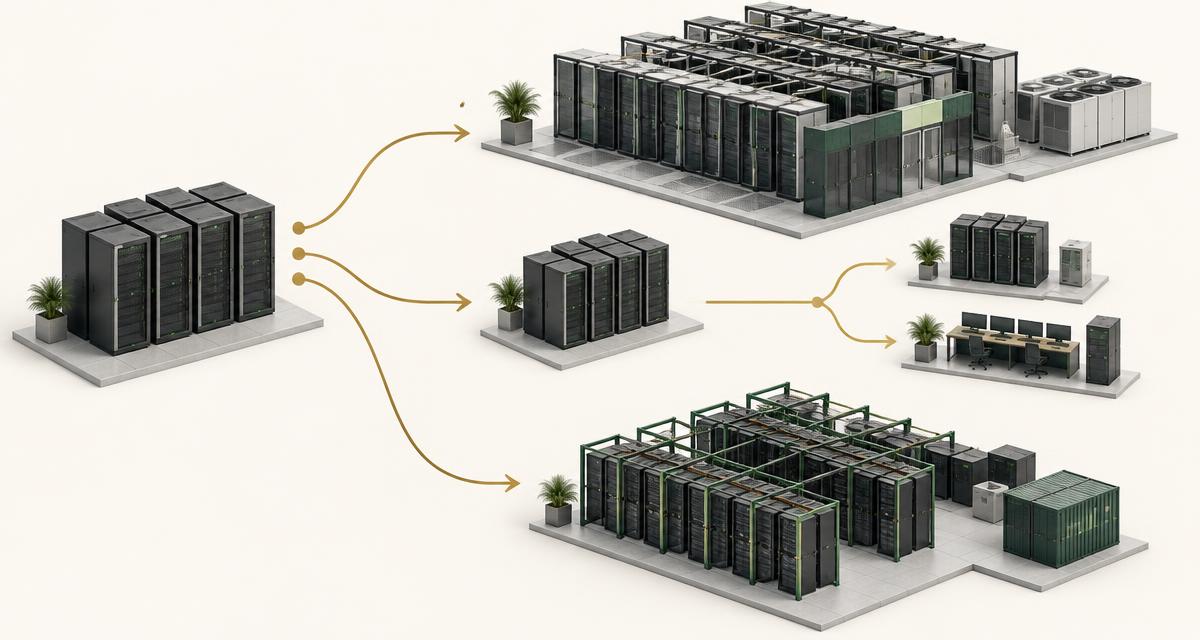
Conceptual editorial illustration; not a product interface or measurement result.
What changed in 2026? A planning deadline, not an automatic shutdown
Broadcom’s October 2026 vSphere 8 lifecycle notice identifies October 11, 2027 as End of General Support for ESXi 8.x, vCenter Server 8.x and vSAN 8.x. These are named component versions: do not apply the date to every VMware product without checking its lifecycle entry.
General-support lifecycle, subscription expiry and a customer’s contractual support rights are separate questions. The date is not evidence that a running VM stops on that day. Ask your account team to confirm patch access and support coverage for the exact versions and agreements in your estate, and retain that response with the migration plan.
The practical change is a narrowing delivery window. Procurement, hardware validation, application testing and recovery exercises all consume time. A decision postponed until a renewal meeting can leave too little time for a representative pilot. Work backward from the support milestone, then add your organization’s change freezes and approval lead times.
What VCF 9 changes operationally
VCF 9.0 was released on June 17, 2025; it is not a product first released in 2026. Broadcom’s release notes describe an integrated cloud-foundation platform and its deployment and operations components. Evaluate VCF and VVF as distinct offerings with documented scope, rather than treating them as interchangeable names for a hypervisor upgrade.
Moving forward may preserve familiar guest and infrastructure integrations, but it is still an operating-model change. Review management topology, lifecycle workflows, networking, observability and automation. Identify which existing scripts, backup connectors, identity integrations and administrator procedures need retesting. Familiarity reduces some risks; it does not remove validation.
Build an upgrade bill of materials that includes management resources as well as workload capacity. Confirm hardware compatibility, supported upgrade paths and component interoperability for the selected release. An environment that can run ESXi 8 is not automatically a validated destination for a complete VCF 9 deployment.
Licensing: compare the purchased offering, not a headline price
The VCF/VVF 9 licensing documentation describes term-based subscriptions and capacity licensing, with subscription license files and management through VCF Operations and the Business Services console. This differs from traditional 25-character keys. It does not establish that every legacy license converts automatically or every component uses the same capacity unit.
Request a written quote against your actual hosts, cores, storage entitlements, term, support level and required features. Include rules for growth, minimum purchases, renewal, disconnected operation and license-file updates. Keep commercial assumptions separate from technical capabilities: an included feature is only valuable if it meets a workload requirement.
A defensible comparison uses equivalent protection, support and availability assumptions. Do not compare a bundled, supported production platform with an unsupported hypervisor installation and call the difference savings. Conversely, unused bundled functions should not be counted as business value simply because they appear in an offer.
Three paths and the evidence each requires
There is no universal winner. Use this framework to define what must be proved before committing to a path.
| Path | Fits when | Validate first |
|---|---|---|
| Move to VCF/VVF 9 | VMware-specific integrations and skills remain valuable | Offering scope, compatibility, upgrade path and subscription cost |
| Modernize selectively | The estate has mixed dependencies and change windows | Two-platform operations, data paths and the support plan for retained versions |
| Evaluate an alternative | VM workloads are portable and a different operating model fits | Application acceptance, backup/DR, network behavior and rollback |
When staying makes sense—and when an alternative deserves a pilot
Staying can be sensible where specialized integrations, a mature automation estate or vendor-supported application designs create tangible value. Quantify that value: a dependency register is stronger evidence than an assertion that the business has always used VMware. Document the cost of replacing each dependency and the risk if it behaves differently.
An alternative deserves evaluation when subscription economics, operational language, infrastructure ownership or portability are material requirements. Standard guest workloads can be candidates, but identical VM settings do not guarantee identical application performance. If your organization decides to evaluate other platforms rather than move directly to VCF 9, continue with VMware Alternatives in 2026, which covers the wider platform comparison; this article stays focused on the lifecycle decision.
Review the KVM hypervisor guide to understand the foundation of an open virtualization stack. Then compare the complete platform around that foundation: HA, resource scheduling, live migration, management, backup, audit and support all matter. KVM alone is not a substitute for an operating model.
Migration risk lives in dependencies and recovery
Inventory more than CPU and memory. Include guest drivers, boot mode, virtual networking, encryption, attached devices, application licenses and backup chains. A VM conversion may succeed while a network dependency, license binding or recovery process fails. Group application components into migration waves rather than moving machines independently.
A technical POC should reproduce normal operation, load peaks and a failure scenario. Specify acceptable latency, restore time and error rate before the test begins. For transactional workloads, identify the write boundary during cutover: once the target accepts new transactions, reverting to an old source copy can lose data unless a reconciliation plan exists.
Warm migration can reduce the final transfer interval, but it does not justify a zero-downtime promise. Agree the cutover window, rollback trigger and business sign-off. The migration planning guide provides the underlying sequence; keep source decommissioning behind verified recovery and acceptance.
Skills and total cost across the transition
Retaining VMware and adding another platform may spread change risk while increasing temporary operating cost. Budget for two consoles, patch schedules, alert integrations and support escalation paths. A selective approach needs an owner and an exit condition; otherwise a temporary bridge can become permanent duplication.
Model three-to-five-year cost with hardware refresh, licenses, migration labor, training, backup, network change, power and recovery capacity. Compare expected utilization with a downside scenario. Include parallel-run cost and the effort of a future exit. The VMware migration cost guide explains why the conversion tool is only one line item.
Make decisions per workload family. A tightly coupled application may remain on an upgraded VMware cluster while less dependent services move elsewhere. That is a portfolio decision, not a failed migration. The board-level question is whether the resulting service meets cost, risk and operating requirements.
What this means for Saudi organizations
Saudi teams should add facility location, administrator access, incident escalation, bilingual operating documentation and sector-specific obligations to the technical evaluation. A local deployment does not by itself prove regulatory compliance, and a Saudi vendor does not remove the need to verify contractual responsibilities and recovery arrangements.
VirtuWa can be evaluated for server virtualization and private cloud: Asas HV by VirtuWa provides the KVM-based foundation, Lejam Cloud Manager by VirtuWa centralizes management, Jisir supports workload migration and Hemaya addresses backup and disaster recovery. Mehad is a deployment/installer capability; the released Terraform Provider is a separate integration. Do not assume equivalence to every VMware service.
Use the support milestone to evaluate the longer-term destination as well as the immediate upgrade. If the decision widens into a destination architecture, virtualization vs private cloud explains the difference between a hypervisor upgrade and a private cloud service model.
Sources and references
Frequently asked questions
When does vSphere 8 general support end?
Broadcom lists October 11, 2027 for ESXi 8.x, vCenter Server 8.x and vSAN 8.x. Check each other product’s lifecycle separately.
Does the deadline mean my VMs stop running?
The lifecycle notice is not an automatic workload shutdown or license-expiry notice. Confirm support, patch access and subscription obligations against your own agreements.
Are VCF 9 and VVF 9 the same offering?
No. They have distinct product scope and commercial terms. Compare the current documentation and quote for the offering you plan to deploy.
Can I retain some VMware workloads?
Yes, a selective transition is a valid architecture option, provided retained versions have an explicit support plan and the cost of operating two environments is understood.
Will an alternative necessarily cost less?
No. Total cost depends on utilization, subscriptions, hardware, integrations, migration, training and support. Compare equivalent service and recovery requirements.
Request a VMware Exit Assessment
Discuss your workload requirements and evaluation criteria with the VirtuWa team.
Request a VMware Exit AssessmentWhy Private Cloud Is Coming Back in the AI Era
AI changes workload placement, not public cloud’s value. Compare private, public and hybrid models for utilization, enterprise data, latency and operating cost.
Read articleBuilding a VMware Exit Strategy Without Disrupting Production
An executive framework for a VMware exit strategy: current state, business trigger, target architecture, workload segmentation, pilot, coexistence, migration waves, operational transition and decommission.
Read article